Content and publishing
Content planning and calendar
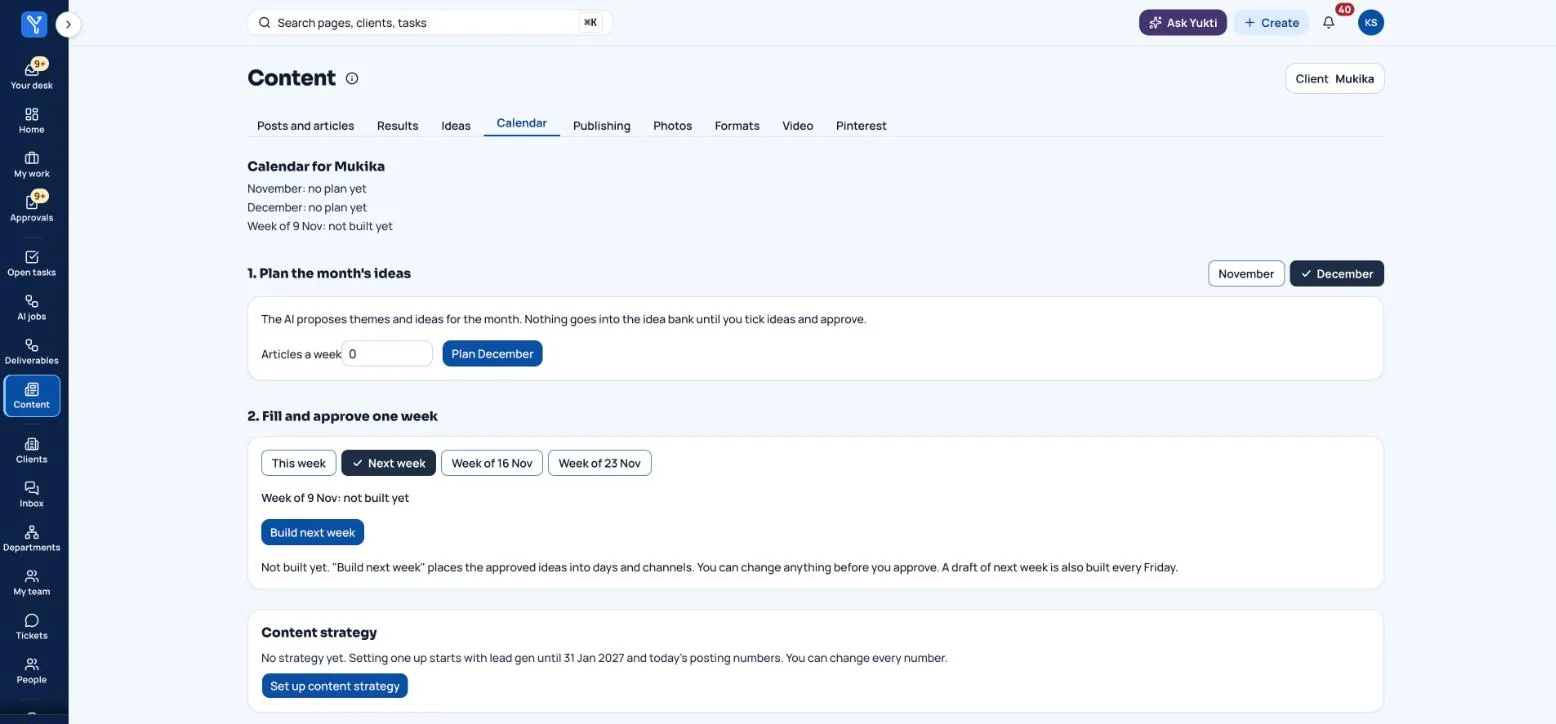
Plan the month, approve the week, and let the day write itself. Plan a month of ideas, then place them into days and channels for each week. The right piece is drafted for each slot, and you approve before anything is made live.

What you get
6 things this does for you.
AI proposes, you approve the month
The AI suggests two to four themes and ideas. Nothing goes into the idea bank until you tick the ideas and approve.
Build next week in one press
Plain code places approved ideas into days and channels. About one slot in five is left open for a trend. Move, swap or empty any slot, then approve the week.
A content strategy, not just a list
Set the mix by channel, type and purpose, with a focus dial such as lead gen, launch, brand or retention. Bars show planned against target before you approve.
Key days that change the plan
Festivals and holidays can be marked Peak, Slow, Avoid or Neutral. Reserve a placeholder for a key day, or keep launches away from it.
A channel plan for each client
Each channel is Now, Later (with what switches it on) or Not yet (with why). Content is only made for channels set to Now.
Campaigns and ads, with no surprises
Bring in a campaign plan and it becomes dated items you can track. Ads are written, checked and approved, then downloaded as a file for Meta Ads Manager or Google Ads Editor. Every row is Paused and the app never spends a rupee.
Where approved pieces can be posted
- Facebook Page
- Threads
- Google Business Profile
- Your website
Also written and checked for, posted by hand
- YouTube
- X
- Discord
- Substack
Each channel is connected per client and posts only after a person approves. Google Business Profile needs Google's approval of API access before it can post.
How it works
In four steps.
No manuals needed. Each step is one screen, and the next step is always nearby.
- Plan the month: tick the ideas you like and approve.
- Build next week and adjust the slots.
- Approve the week.
- Each slot's piece is drafted and lands in your review list.
Where people stay in control
Every Friday a draft of next week is built for you and a bell rings. It never approves itself. Once a client has an approved week, an unapproved week means no posts that week.
Want content planning and calendar on your business?
We are onboarding a small number of businesses for early access. Tell us what you do and what you would like off your plate.